Control windows, with a keystroke.
ResizeKey is a macOS utility that lets you move and resize windows with just keyboard shortcuts. Stay focused without reaching for the trackpad.
What is ResizeKey?
A simple window management tool for macOS. Move and resize the currently focused window quickly with just keyboard shortcuts. Lightweight menu bar app designed to keep your workflow uninterrupted.
Supported OS: macOS
Main Operations
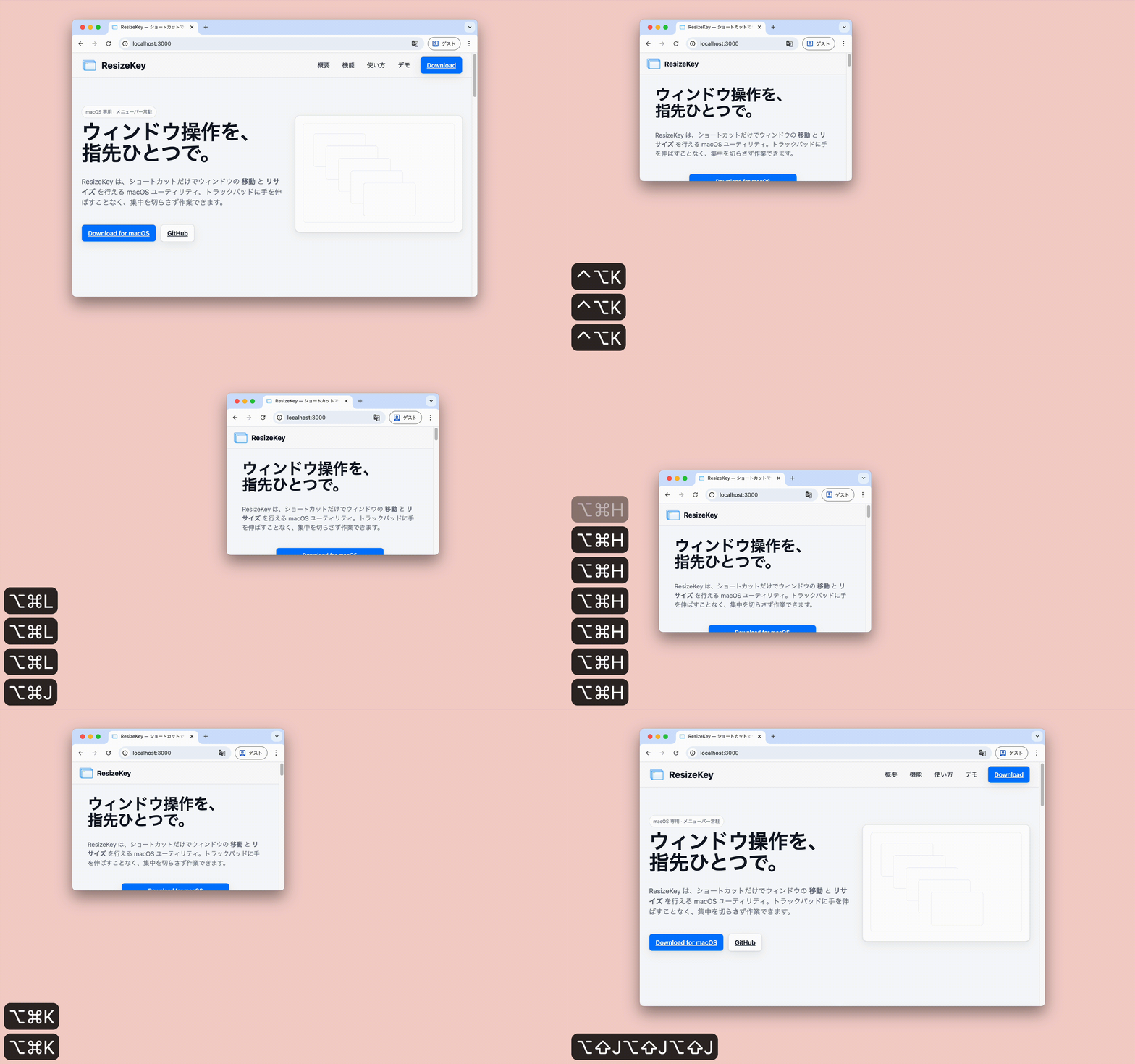
Move: ⌘ + ⌥ + H/J/K/L
Resize: ⌥ + ^ / ⌥ + ⇧ + H/J/K/L
Features
🎯 Window Movement
Quick positioning with ⌘ + ⌥ + H/J/K/L
📐 Four-Edge Resize
Expand/shrink with ⌥ + ⇧ / ⌥ + ⌃ + H/J/K/L
⚙️ Configuration File
Customizable via settings file
~/.config/resize-key/settings.json
🧩 Always Available & Lightweight
Menu bar resident. Minimal UI to maintain focus
How to Use
Download the app and drag it to your Applications folder.
When prompted for accessibility permission, enable ResizeKey in "System Settings › Privacy & Security › Accessibility".
| Operation | Default Shortcut | Description |
|---|---|---|
| move_left | ⌘ + ⌥ + H | Move left |
| move_right | ⌘ + ⌥ + L | Move right |
| move_up | ⌘ + ⌥ + K | Move up |
| move_down | ⌘ + ⌥ + J | Move down |
| resize_left_to_left | ⌥ + ⇧ + H | Extend left edge to the left |
| resize_left_to_right | ⌥ + ⌃ + L | Shrink left edge to the right |
| resize_top_to_top | ⌥ + ⇧ + K | Extend top edge upward |
| resize_top_to_bottom | ⌥ + ⌃ + J | Shrink top edge downward |
| resize_right_to_left | ⌥ + ⌃ + H | Shrink right edge to the left |
| resize_right_to_right | ⌥ + ⇧ + L | Extend right edge to the right |
| resize_bottom_to_top | ⌥ + ⌃ + K | Shrink bottom edge upward |
| resize_bottom_to_bottom | ⌥ + ⇧ + J | Extend bottom edge downward |
Default step size: Move 50px / Resize 100px
You can override shortcuts and step sizes by creating a user settings file.
Save location $XDG_CONFIG_HOME/resize-key/settings.json ~/.config/resize-key/settings.json:
Default
{
  "move_step": 50.0,
  "resize_step": 100.0,
  "bindings": [
    {
      "operation": "move_left",
      "key": "command+option+h"
    },
    {
      "operation": "move_right",
      "key": "command+option+l"
    },
    {
      "operation": "move_up",
      "key": "command+option+k"
    },
    {
      "operation": "move_down",
      "key": "command+option+j"
    },
    {
      "operation": "resize_left_to_left",
      "key": "option+shift+h"
    },
    {
      "operation": "resize_left_to_right",
      "key": "option+control+l"
    },
    {
      "operation": "resize_top_to_top",
      "key": "option+shift+k"
    },
    {
      "operation": "resize_top_to_bottom",
      "key": "option+control+j"
    },
    {
      "operation": "resize_right_to_left",
      "key": "option+control+h"
    },
    {
      "operation": "resize_right_to_right",
      "key": "option+shift+l"
    },
    {
      "operation": "resize_bottom_to_top",
      "key": "option+control+k"
    },
    {
      "operation": "resize_bottom_to_bottom",
      "key": "option+shift+j"
    }
  ]
}
Demo